Figuring out BOMBANANA how to join friends is the first step to enjoying this chaotic bomb defusal experience. Getting your squad into the same lobby quickly means less time waiting and more time shouting at each other before the timer hits zero.
Setting Up Your First BOMBANANA Lobby
Getting everyone into the same minivan-turned-bomb-workshop requires understanding how the invitation system functions. Because BOMBANANA relies on asymmetric roles where the blind monkey, deaf monkey, and mute monkey each hold different pieces of critical information, having the right three people in your lobby is essential for survival. The game uses a straightforward lobby system that generates a unique identifier for your session, allowing friends to jump in without navigating complex server browsers.
Generating and Sharing Your Lobby Code
When you launch the game and select the option to host a session, the system automatically generates a BOMBANANA lobby code displayed prominently on your screen. This alphanumeric string acts as the primary gateway for your friends to enter your specific game instance. You simply copy this code and share it through whatever communication platform your group uses, whether that is a Discord channel, a group chat, or a direct message.
According to the official BOMBANANA store page on Steam, the game is built entirely around this 3-player cooperative dynamic, making the lobby code the most critical piece of information for group coordination. Once your friends input the code, they are dropped directly into your minivan, ready to tackle the explosive modules. If you are looking for a deeper breakdown of the game's overall multiplayer mechanics, you can check out our comprehensive co-op guide which covers role synergies and communication strategies.
Troubleshooting Connection Drops
Occasionally, players might encounter network hiccups when trying to connect using an invite. Recent patch notes from the developers addressed several of these connectivity issues, ensuring a smoother experience when inputting your BOMBANANA invite code. If a friend cannot join despite having the correct code, double-check that you are both running the same version of the game, since version mismatches frequently cause silent connection failures.
Step-by-Step Guide to Inviting Friends
The invitation process in this BOMBANANA party game is designed to be frictionless, allowing groups to jump from the main menu to the bomb defusal action in under a minute. Understanding the exact sequence of button presses and menu navigations ensures that nobody gets left behind in the main menu while the timer counts down. The flow differs slightly depending on whether you are hosting a fresh lobby or joining an existing session, but both paths rely on the same underlying code system.
Creating a New Session
To start, the host must select Host Game from the main multiplayer menu. Once the lobby is created, the host can configure the difficulty and select specific modules before opening the session to friends. The lobby remains private by default, meaning only players with the exact code can enter, which prevents random drop-ins from disrupting your coordinated defusal attempts.
| Step | Host Action | System Response | Time Required |
|---|---|---|---|
| 1 | Select "Host Game" | Lobby instance created | 2 seconds |
| 2 | Configure modules | Settings saved to lobby | 10 seconds |
| 3 | Copy lobby code | Code added to clipboard | 1 second |
| 4 | Share code with friends | Friends see code in chat | Variable |
| 5 | Press "Start" | Game begins when lobby is full | 3 seconds |
Joining an Active Game
Joining a friend's session is equally straightforward. From the main menu, select Join Game, which brings up a text input field. Here, you manually type or paste the code your friend provided. Once confirmed, the game authenticates the connection and loads you directly into the host's minivan. If you run into persistent issues where BOMBANANA multiplayer is not working as expected, our network troubleshooting resource outlines several fixes for common router and firewall conflicts that block the connection.
Understanding Player Count and Party Limits
One of the most common questions surrounding this BOMBANANA co-op party game revolves around exactly how many people can participate in a single session. The core design of the game is tightly woven around its asymmetric information puzzle, which dictates a strict player count that differs from traditional drop-in drop-out multiplayer experiences. Understanding these limitations is crucial before you start inviting your entire friend group to a single lobby.
The Three-Monkey Rule
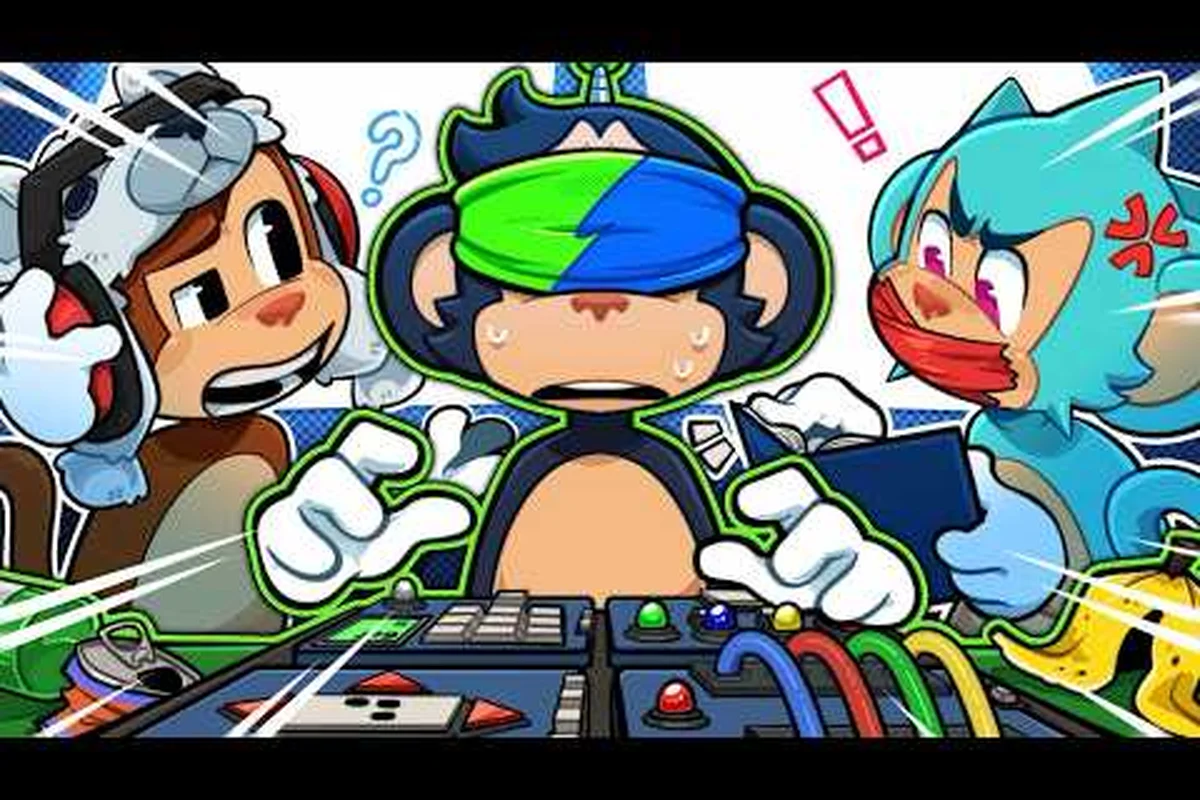
According to the official game description, BOMBANANA is strictly designed for exactly three players. Each player assumes one of three distinct roles: the Blind Monkey who can read the manual but cannot see the bomb, the Deaf Monkey who can see the bomb but cannot hear instructions, and the Mute Monkey who can see and hear but cannot speak. This triad of limitations forces players into a chaotic communication loop where every piece of information is filtered through a specific bottleneck.
| Player Role | Can See Bomb | Can Hear | Can Speak | Primary Responsibility |
|---|---|---|---|---|
| Blind Monkey | No | Yes | Yes | Reads manual, gives instructions |
| Deaf Monkey | Yes | No | Yes | Describes bomb modules visually |
| Mute Monkey | Yes | Yes | No | Executes physical defusal actions |
Because the game is built around this specific trio of disabilities, the lobby system hard-locks sessions at three participants. You cannot add a fourth player as an observer, and the game does not feature a spectate mode for extra friends who want to watch the chaos unfold. The tension relies entirely on the fact that no single player has enough information to defuse the bomb alone, making the three-player cap a fundamental gameplay mechanic rather than a technical limitation.
Adapting the Experience for Smaller Groups
Since the game enforces a strict trio format, duos often wonder if the experience can be modified to accommodate fewer players. While the base game does not natively support a two-player mode, creative groups have developed workarounds to maintain the asymmetric chaos that defines the experience. If you are exploring BOMBANANA what if you only have 2 players, our detailed breakdown explains how some groups handle role-swapping mid-round.
Can You Play With Only 2 Players?
The question of whether BOMBANANA can you play with 2 players is one of the most frequently asked questions in the community, particularly among duos who want to experience the game without finding a third person. The short answer is that the game natively requires three distinct roles to function as intended, but the community has devised several clever methods to approximate the experience with only two people sitting in the room.
Community Workarounds for Duos
Players on the official BOMBANANA subreddit have shared various strategies for playing as a pair. The most common method involves one person taking on a hybrid role, effectively managing two monkeys simultaneously. For example, one player might handle both the Blind Monkey and the Mute Monkey roles, reading the manual and executing the physical defusal, while the second player acts as the Deaf Monkey describing the bomb.
| Duo Strategy | Method | Difficulty | Fun Factor |
|---|---|---|---|
| Role Sharing | One player controls two monkeys | High | Moderate |
| Manual Relay | Use a phone to text instructions | Medium | High |
| Hot Seat | Swap controllers between modules | Very High | Chaotic |
| Voice Bot | Use speech-to-text for mute role | Medium | Tech-heavy |
While these workarounds can be fun, they fundamentally alter the intended game design. The core tension of BOMBANANA how to join friends comes from the fact that each player is missing a critical sense, forcing reliance on teammates. When one player absorbs two roles, that inherent vulnerability disappears, which changes the puzzle from a communication challenge into a multitasking exercise. For the authentic experience, recruiting a third player remains the strongly recommended path.
Optimizing Your Co-op Party Setup
Once you have your lobby sorted and your friends connected, the next critical step is establishing how your group will handle the asymmetric communication that defines this BOMBANANA co-op party game. A successful defusal relies less on quick reflexes and more on establishing a clear, standardized communication protocol before the timer starts ticking down. Groups that fail to establish these protocols often find themselves shouting over each other in the final seconds.
Assigning Roles Effectively
Choosing who plays which monkey is a decision that should be based on your friends' natural communication styles. The Blind Monkey role is essentially the project manager, requiring someone who can quickly parse complex manual instructions and articulate them clearly under pressure. The Deaf Monkey needs to be highly observant and capable of describing visual information concisely, while the Mute Monkey must have steady hands for executing precise inputs based solely on auditory cues.
| Role | Ideal Player Type | Key Skill | Common Failure Point |
|---|---|---|---|
| Blind Monkey | The Reader | Fast comprehension | Misreading manual pages |
| Deaf Monkey | The Observer | Clear descriptions | Vague module descriptions |
| Mute Monkey | The Executor | Precise inputs | Mishearing instructions |
Communication Best Practices
Establishing a standardized vocabulary before the bomb starts ticking is the single most effective way to improve your defusal rate. Instead of describing a wire by its position relative to other wires, agree on a numbering system from left to right. Rather than describing symbols by their visual appearance, which can be subjective, create names for common symbols ahead of time so that the Deaf Monkey can instantly convey what they see to the Blind Monkey reading the manual.
Advanced Lobby Settings and Custom Modules
Beyond the standard quick-play setup, BOMBANANA offers a robust Free Mode that allows the host to design custom bomb configurations, tailoring the experience to their group's specific skill level. This feature transforms the game from a static puzzle set into a dynamic platform for creating personalized challenges, which significantly extends the replayability for groups who have already memorized the base modules. Understanding how to manipulate these lobby settings gives your group ultimate control over the difficulty curve.
Designing Your Own Bomb
In Free Mode, accessible from the lobby creation screen, the host can select exactly which modules appear on the bomb, how many modules are active simultaneously, and the overall time limit. This allows groups to practice specific challenging modules in isolation before attempting them in a full, chaotic run. According to community reports, groups that spend time in Free Mode practicing the notoriously difficult Calculation Module see a dramatic improvement in their overall success rate during standard play.
| Custom Setting | Options Available | Impact on Gameplay |
|---|---|---|
| Module Count | 1 to 11 modules | Scales session length |
| Time Limit | 1 to 10 minutes | Adjusts pressure level |
| Module Pool | Select specific puzzles | Targets practice areas |
| Difficulty Curve | Static or escalating | Changes pacing dynamics |
The ability to curate the experience means that if your group struggles with memory-based modules but excels at wiring puzzles, you can create a bomb that plays to your strengths or deliberately forces you to confront your weaknesses. This level of customization is a major reason why the game maintains an overwhelmingly positive rating, as it allows groups to scale the challenge precisely to their comfort level. If you want to understand how these custom setups fit into the broader game structure, our round structure breakdown provides valuable context on session pacing.
Frequently Asked Questions
How do I find my BOMBANANA lobby code?
When you host a game, your BOMBANANA lobby code appears automatically in the top right corner of the lobby screen. You can copy it to your clipboard by pressing the designated hotkey shown on screen, making it easy to paste directly into your Discord channel or group chat for immediate sharing.
Can I play BOMBANANA with more than 3 players?
No, the game strictly limits sessions to exactly three players because each of the three monkeys possesses a unique sensory limitation. Adding a fourth player would break the core asymmetric design, as there is no fourth role available, and the lobby system hard-locks participation to maintain gameplay integrity.
What should I do if the invite code is not working?
First, ensure both you and the host are running the latest game version, since recent hotfixes addressed lobby join network issues. If the code still fails, have the host disband the lobby and generate a new code, as expired or glitched codes occasionally occur after prolonged periods of lobby inactivity.
Is BOMBANANA a good party game for casual groups?
Absolutely, BOMBANANA functions brilliantly as a BOMBANANA party game because the chaotic communication breakdowns naturally generate hilarious moments. Even groups with minimal gaming experience can enjoy the frantic energy, although completing complex modules requires patience and a willingness to embrace failure.
Does the game support cross-platform play?
Have you and your friends successfully defused a bomb using these lobby setup tips, or did you discover a hilarious new way to blow up the minivan? Share your most chaotic BOMBANANA moments in the comments below and pass this guide to your squad so nobody gets left in the main menu!