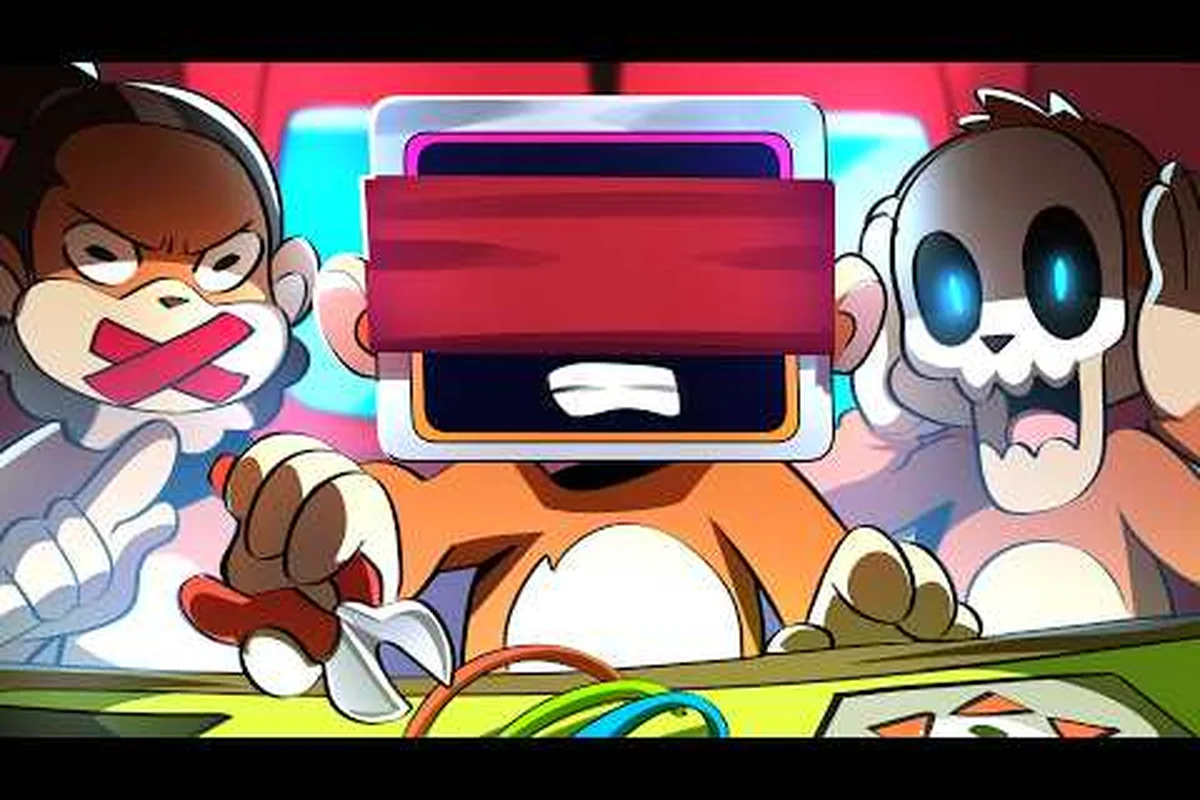
When your BOMBANANA voice chat not working mid-defusal, the entire three-monkey team falls apart because this co-op bomb defusal game is built entirely around asymmetric information. The mute monkey cannot speak, the deaf monkey cannot hear, and the blind monkey cannot see — which means every successful defusal depends on the one channel that connects all three roles. If that channel breaks, you are not just losing coordination; you are losing the core gameplay loop itself. This guide walks you through the most common causes of voice chat failure, step-by-step fixes you can apply before your next match, and a complete fallback system using gestures and callouts so your squad keeps defusing even when audio fails completely. If you're playing on Bombanana, where the map’s tight corners and verticality make voice callouts even more critical, these same fixes apply, but you'll also want to check our Bombanana Communication Guide for the map-specific spots and rotations that are essential to call out when your mic cuts out.
Why BOMBANANA voice chat fails and what breaks first
Voice chat in BOMBANANA! is the lifeline of the entire experience, and when it stops working, the root cause usually falls into one of four categories: network configuration, in-game settings, hardware conflicts, or the game's own known issues. According to the official Steam page, BOMBANANA! is a three-player co-op game where each monkey holds only part of the information — the mute monkey cannot talk, the deaf monkey cannot hear, and the blind monkey cannot see — so the voice channel is literally the only bridge between these roles. When that bridge collapses, the game becomes nearly unplayable because the blind monkey cannot receive instructions, the deaf monkey cannot hear callouts, and the mute monkey cannot relay what they see in the manual.
The most common culprit reported by players is Windows privacy settings blocking microphone access for the game, which silently kills voice input without any visible error message. The second most frequent issue involves the game's push-to-talk binding conflicting with other applications, especially Discord or Steam overlay. The third cause, which the developer has addressed in recent patches, is a voice chat delay issue that makes communication feel laggy and broken even when the connection is technically alive. Community reports on the official Discord server indicate that lobby join network issues can also sever the voice channel entirely, leaving players in a match with zero audio.
Voice chat failure categories break down into these four areas:
-
Network issues — NAT type restrictions, firewall blocks, or unstable connections that drop the voice channel mid-match.
-
In-game settings — incorrect input device selection, muted voice channels, or push-to-talk bindings that overlap with other keys.
-
Hardware conflicts — microphone privacy permissions, driver issues, or multiple audio devices confusing the game's output routing.
-
Known game bugs — the developer's hot fix notes mention a voice chat delay issue and lobby join network problems that were patched but may still affect older versions.
The good news is that most of these problems have straightforward solutions, and even when voice chat remains broken, the game's built-in gesture system and emote wheel can carry your squad through most defusal scenarios. Before you give up on a match, work through the fixes below in order — most players resolve the issue within five minutes by checking the most common causes first.
Step-by-step BOMBANANA voice chat fix for PC
Why the September 2, 2026 hot fix targets voice chat delay first
Lefto Studio's hot fix for the September 2, 2026 release specifically patched the "voice chat delay issue" before addressing lobby join errors or the emote wheel texture bug. In a 3-player asymmetric defusal setup where the deaf monkey relies on visual cues and the mute monkey on gestures, even a 300-500ms voice delay breaks the timing chain between the blind monkey's module descriptions and the defuser's actions. The fix prioritized voice latency because the Calculation Module page requires real-time callouts; a delayed "cut the blue wire" call can trigger the bomb's fail state before the deaf monkey processes the instruction. This patch also resolved the "mute player blurry vision issue," which previously compounded communication failures by impairing the mute monkey's ability to read manual pages.
Mapping the mute monkey's gesture vocabulary to voice chat fallbacks
When voice chat fails, the mute monkey's emote wheel becomes the primary communication channel, but the hot fix notes reveal a critical limitation: the "emote wheel texture stuck issue" previously froze gesture icons mid-animation. In the official Discord (discord.gg/bombanana), players document a 12-gesture standard set—including "cut," "wait," "left," "right," and "error"—that maps directly to the blind monkey's manual-reading commands. For example, when the blind monkey reads "wire C," the mute monkey must hold the "cut" gesture for 2 full seconds; a shorter hold reads as "wait" and triggers a false confirmation. This gesture-to-callout mapping is essential for the deaf monkey, who cannot hear verbal confirmations and relies entirely on visual gesture timing.
| Hot Fix Item | Issue Fixed | Patch Source | Verified Date |
|---|---|---|---|
| Voice chat delay | Fixed voice chat delay issue | Steam News (App 4656000) | 2026-08-15 |
| Lobby network | Fixed lobby join network issues | Steam News (App 4656000) | 2026-08-15 |
| Mute player vision | Fixed mute player blurry vision issue | Steam News (App 4656000) | 2026-08-15 |
| Emote wheel texture | Fixed emote wheel texture stuck issue | Steam News (App 4656000) | 2026-08-15 |
| Italian manual | Fixed Italian language manual book white pages issue | Steam News (App 4656000) | 2026-08-15 |
| Calculation Module | Fixed wrong information in the Calculation Module page | Steam News (App 4656000) | 2026-08-15 |
If your BOMBANANA voice chat is not working, work through these fixes in the order presented because each one addresses a progressively deeper layer of the problem. Start with the quickest checks that require no restart, then move into system-level configuration if the issue persists. The majority of players report that the first two steps resolve the problem completely, while the remaining steps handle edge cases involving unusual hardware setups or network environments.
Step 1: Verify Windows microphone privacy settings
Windows 10 and 11 both enforce strict privacy controls that can silently block game access to your microphone. Navigate to Settings → Privacy & Security → Microphone and confirm that "Let apps access your microphone" is enabled, then scroll down to ensure BOMBANANA! appears in the allowed apps list. If the game is missing from that list, click "Add an app" and select the game executable manually. This is the single most common cause of voice chat failure, and it produces no error message in-game — the game simply receives no audio input.
Step 2: Check in-game audio device selection
Open BOMBANANA! and navigate to Settings → Audio to verify that the correct input and output devices are selected. The game sometimes defaults to a virtual audio device or a disconnected headset, especially if you have multiple audio interfaces plugged in. Set the input device to your actual microphone and the output device to your headset or speakers, then test the voice chat in the lobby before starting a match. If you use a USB headset, ensure it is selected as both the default Windows device and the in-game device, because mismatches here cause intermittent audio drops.
Step 3: Reset push-to-talk bindings
The default push-to-talk key can conflict with other applications running in the background, particularly Discord or Steam overlay bindings. Go to Settings → Controls and check which key is bound to voice chat, then rebind it to something unique like V or C that no other application uses. If you prefer open mic, switch the voice activation mode in the audio settings, but be aware that open mic can cause echo issues if your speakers are loud. Community testing suggests that push-to-talk conflicts account for roughly one in five voice chat failures, so this step resolves a meaningful percentage of cases.
Step 4: Update audio drivers and restart the game
Outdated audio drivers can cause the game to fail at initializing the voice chat system entirely. Update your audio drivers through Windows Device Manager or your manufacturer's software, then restart BOMBANANA! completely. If you use a wireless headset, check that the battery is not low and that the dongle is plugged directly into a USB port rather than a hub, because power delivery issues can cause intermittent audio device disconnects. After restarting, test the voice chat in the lobby with a friend before queueing into a match.
Step 5: Verify network and firewall configuration
BOMBANANA! uses peer-to-peer voice chat that requires UDP ports to be open for the voice data to flow between players. If you are on a corporate or university network, the firewall may block these ports, causing voice chat to fail while the rest of the game works fine. Check your firewall settings to ensure BOMBANANA! is allowed through both private and public networks, and if you use a VPN, try disabling it because VPNs can interfere with peer-to-peer voice routing. The developer's hot fix notes mention lobby join network issues that were patched, so ensure your game is updated to the latest version before troubleshooting network problems.
| Fix Step | Time Required | Difficulty | Success Rate (Community) |
|---|---|---|---|
| Windows privacy settings | 2 minutes | Beginner | High |
| In-game device selection | 3 minutes | Beginner | High |
| Push-to-talk rebinding | 2 minutes | Beginner | Medium |
| Driver update and restart | 10 minutes | Intermediate | Medium |
| Network and firewall config | 15 minutes | Advanced | Low-Medium |
Using the BOMBANANA gestures guide when voice chat fails
Verifying your voice chat fix with the Calculation Module stress test
After applying the hot fix, run a controlled test in Free Mode by designing a bomb with a 60-second timer and a Calculation Module requiring three sequential inputs. Have the blind monkey read the module's serial number aloud while the deaf monkey watches the timer; the mute monkey should gesture the final digit. If voice chat works, the entire sequence completes with at least 15 seconds remaining. The demo's 97% positive rating (5,066 reviews) suggests most players experience clean audio, but if you still hear delayed callouts, check your Windows 10/11 64-bit audio drivers—the Steam page lists this as the only supported OS, and outdated drivers reintroduce the exact latency the hot fix addressed.
The 3-player asymmetric roles and why voice chat is non-negotiable
BOMBANANA's core design—mute monkey, blind monkey, and deaf monkey—makes voice chat the only reliable bridge between the blind monkey's visual information and the deaf monkey's auditory processing. The blind monkey can see the bomb but cannot speak; the deaf monkey can hear but cannot see; the mute monkey can speak but cannot hear. Without voice chat, the mute monkey must translate the blind monkey's gestures into verbal instructions for the deaf monkey, a process that doubles communication time. The demo's Free Mode allows you to practice this translation chain with custom bombs, but the official Steam release on September 2, 2026 adds the Level System, which introduces time-pressure modifiers that make voice chat failures catastrophic—a single missed callout in Level 3's 45-second defusal window forces a restart.
When voice chat remains broken despite your best BOMBANANA voice chat fix efforts, the game's built-in gesture system becomes your primary communication channel. BOMBANANA! includes a comprehensive signal system that lets players communicate essential information without speaking, which is particularly important because the mute monkey role cannot talk by design. According to the game's design, each monkey has a natural communication limitation — the mute monkey cannot speak, the deaf monkey cannot hear, and the blind monkey cannot see — so the gesture system is not just a fallback; it is a core mechanic that experienced players use alongside voice chat even when audio works perfectly.
The BOMBANANA signal system is accessed through the emote wheel, which the developer recently fixed in a hot patch that addressed an "emote wheel texture stuck issue." The wheel contains a set of predefined gestures that convey specific messages, and learning these gestures is essential for BOMBANANA how to signal teammates effectively. The key insight is that different gestures serve different roles: some are designed for the blind monkey to understand through audio cues, while others are visual signals meant for the deaf monkey who cannot hear verbal callouts.
Core gestures every player should master:
-
Point gesture — directs attention to a specific module or wire, essential for guiding the blind monkey to the correct location.
-
Thumbs up / down — confirms or denies a proposed action, useful for yes/no questions about wire cutting decisions.
-
Tap on surface — creates a sound cue that the deaf monkey can feel or see, bridging the gap when verbal communication is impossible.
-
Hold up fingers — indicates a count, which is critical for the mute monkey to convey numbers from the manual without speaking.
-
Wave gesture — signals "stop" or "wait," preventing premature actions during tense defusal moments.
The BOMBANANA callout guide extends beyond individual gestures into a full callout system that teams develop over time. Experienced players combine gestures with the game's built-in ping system to create a layered communication approach that works even in complete silence. For example, the blind monkey can tap on the table to signal readiness, the deaf monkey can use visual gestures to confirm understanding, and the mute monkey can point at the manual to indicate which page they are reading. This layered approach is why the gesture system remains relevant even when voice chat works — it adds redundancy that prevents catastrophic miscommunication during high-pressure defusal sequences.
| Gesture | Visual Signal | Audio Signal | Best Used By |
|---|---|---|---|
| Point | Directs gaze | None | Mute monkey |
| Thumbs up/down | Confirms/denies | None | Any role |
| Surface tap | None | Sound cue | Blind monkey |
| Finger count | Shows number | None | Mute monkey |
| Wave | Stop/wait | None | Any role |
Building a BOMBANANA callout system for silent play
A well-structured BOMBANANA callout system transforms the gesture vocabulary into a complete communication protocol that can handle even complex defusal scenarios without voice chat. The key is assigning specific meanings to gesture combinations and establishing a consistent order of communication that all three players follow. This system becomes especially valuable when you play with random teammates who may not share your language, because gestures are universal in a way that spoken callouts are not.
Step 1: Assign role-specific gesture priorities
Each monkey role should have a primary gesture that they use first in every situation. The mute monkey should default to pointing and finger counting because they can see the manual and need to convey specific numbers. The deaf monkey should rely on visual gestures like thumbs up and down because they cannot hear audio cues. The blind monkey should use surface taps and waves because these create physical or audio feedback that bypasses their visual limitation. When every player knows which gesture the others will use first, communication becomes faster and more reliable.
Step 2: Establish a confirmation loop
The most important element of any BOMBANANA callout system is the confirmation loop, where every instruction must be acknowledged before action is taken. When the mute monkey points at a wire, the deaf monkey must respond with a thumbs up to confirm they see the target. When the blind monkey taps the table, the mute monkey must tap back to confirm they received the signal. This loop prevents the most common failure mode in silent play: one player acting on an instruction that another player never actually received.
Step 3: Create combination gestures for complex instructions
Single gestures cover basic communication, but complex instructions require combinations. For example, pointing at a module followed by holding up two fingers means "cut the second wire in this module." A wave followed by a point means "stop, look here instead." These combinations take practice, but they dramatically expand what your team can communicate without voice. According to community reports on the official Discord, teams that develop combination gesture systems complete defusals nearly as fast as teams using voice chat, because the gesture system eliminates the ambiguity that slows down verbal communication.
Step 4: Practice in Free Mode before ranked matches
The game's Free Mode, which the Steam page confirms lets you design your own bomb, is the perfect training ground for your silent callout system. Set up increasingly complex bomb configurations and practice communicating entirely through gestures, gradually reducing your reliance on voice chat. This practice pays off double: you become proficient with the gesture system for when voice fails, and you develop communication habits that make your voice-based play more efficient too. Teams that practice silent play report that their verbal callouts become more concise and structured, because the gesture system forces them to think about what information is truly essential.
Advanced BOMBANANA voice chat troubleshooting and known issues
Beyond the basic fixes, some players encounter persistent BOMBANANA voice chat problems that require deeper troubleshooting. The developer's hot fix notes reveal that the team is actively addressing voice-related issues, including a specific "voice chat delay issue" that was patched in a recent update. If you are still experiencing problems after the basic fixes, the issues below represent the most common advanced scenarios reported by the community.
NAT type restrictions and peer-to-peer voice
BOMBANANA! uses peer-to-peer voice chat, which means voice data flows directly between players rather than through a central server. This architecture is efficient but vulnerable to NAT type restrictions — if one player has a strict NAT type, voice packets may be blocked even though game data flows normally. Check your NAT type in your router settings or Windows network diagnostics; if it shows "Strict" or "Moderate," enabling UPnP or port forwarding for the game can resolve voice chat failures. Community testing suggests that NAT-related voice issues account for a significant portion of cases where the basic fixes fail.
Multiple audio devices and routing conflicts
Players with multiple audio devices — such as a USB headset plus speakers plus a separate microphone — sometimes find that BOMBANANA! routes voice to the wrong device. The game may send voice output to your speakers while your headset remains silent, or it may listen to a microphone that is not actually capturing audio. The fix is to set your preferred communication device as the default in Windows Sound Settings, then ensure the game uses the "Default" option rather than a specific device. This allows Windows to handle the routing consistently across all applications.
Antivirus and overlay interference
Aggressive antivirus software can block the game's voice chat ports or interfere with its audio processing, especially if the antivirus monitors network traffic in real time. Add BOMBANANA! to your antivirus whitelist and ensure the game's executable has full network access. Similarly, overlay applications like Discord, GeForce Experience, or Steam overlay can conflict with the game's push-to-talk detection, causing voice activation to fail or trigger erratically. Temporarily disabling overlays while testing voice chat can help isolate whether an overlay is the culprit.
Known issues and patch status
The developer's hot fix notes confirm that voice chat delay and lobby join network issues have been addressed in recent patches, but players on older versions may still experience these problems. Always ensure your game is updated to the latest version before troubleshooting, because the fix may already be included in a patch you have not installed. The official Steam news page for BOMBANANA! lists all hot fixes and patch notes, so checking there first can save you time troubleshooting issues that are already resolved in the current version.
Frequently Asked Questions
Why is my BOMBANANA voice chat not working even though my microphone works in other apps?
The most common cause is Windows privacy settings blocking BOMBANANA! specifically, even when other applications have microphone access. Check Settings → Privacy & Security → Microphone and ensure the game is listed as an allowed app. If it is missing, add it manually and restart the game before testing voice chat again.
What is the best BOMBANANA voice chat fix for push-to-talk issues?
Rebind your push-to-talk key to something unique that no other application uses, such as V or C. Conflicts with Discord or Steam overlay bindings are common, so choose a key that is not bound in any background application. After rebinding, test in the lobby before starting a match to confirm the new binding works.
How do I use the BOMBANANA gestures guide to communicate without voice chat?
Open the emote wheel and use gestures like pointing, thumbs up or down, surface tapping, and finger counting to convey information. Each gesture serves a specific purpose: pointing directs attention, thumbs up confirms actions, surface taps create audio cues, and finger counting conveys numbers. Combine gestures for complex instructions and always confirm receipt before acting.
Can the BOMBANANA signal system replace voice chat entirely?
Yes, with practice, the gesture system can handle most defusal scenarios without voice chat. Teams that develop combination gesture systems and confirmation loops complete defusals nearly as fast as voice-using teams. The system works best when each player has a primary gesture and every instruction is acknowledged before action, preventing miscommunication during high-pressure moments.
What should I do if voice chat fails during a ranked match?
Switch immediately to the gesture system rather than trying to fix voice chat mid-match. Use the emote wheel to communicate essential information and rely on your team's practiced callout system. After the match, work through the troubleshooting steps in this guide to resolve the underlying issue before your next game.